Permission should match the action
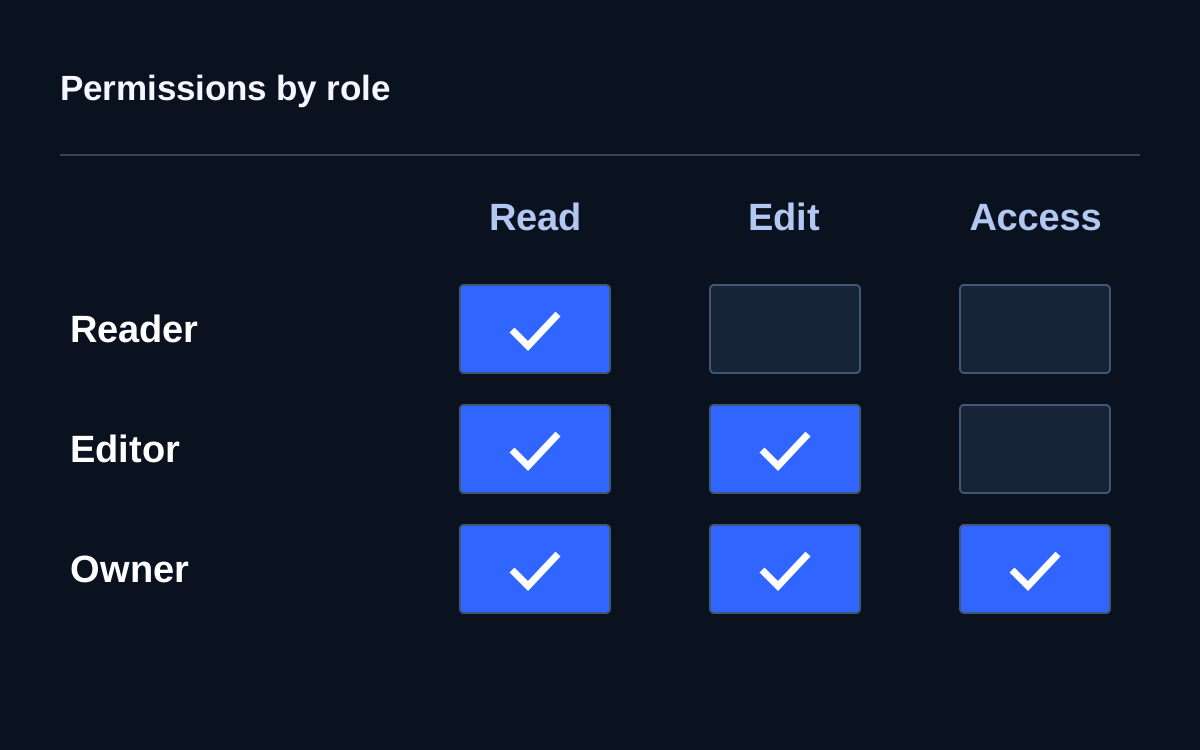
Employees need permission for specific actions: reading a document, approving an order or changing a record. OWASP recommends granting the minimum necessary privileges and reviewing them regularly. A job title alone does not determine which data a person may access.
Imagine temporary cover in procurement
Consider a training example: a specialist covers a colleague for two weeks and needs to confirm receipt of goods for one project. They receive all the deputy manager's rights, including supplier-directory changes and access to unrelated contracts. A month later the cover has ended but permissions remain. A temporary task created a permanent capability.
A more precise solution describes accessible records, permitted actions and an expiry point. If the service cannot express that detail, make the exception visible: assign an owner, a review date and an explanation of the restriction that cannot yet be implemented.
A role is a useful approximation
A job title does not always capture access conditions. Two managers may handle different regions, while one employee may join several projects. Discuss permissions as editing requests for an assigned project, rather than simply giving manager rights. This connects the decision to an object and actual responsibility.
Excessive detail has costs too. If every minor action requires an administrator request, employees seek workarounds. Provide a clear baseline and a separate route for rare extensions. Good access design supports ordinary work without permanently granting capabilities needed only in exceptional cases.
Test the restriction too
Menus show only what an interface chooses to display. OWASP emphasises permission checks on every request: hiding a button does not replace enforcement inside the system. Authorised specialists should test this under agreed conditions using test records and accounts.
Business acceptance can specify expected behaviour: employees see their project, cannot see a neighbouring one and cannot change others' documents through a direct link. Test retained capabilities as well as prohibitions. Tightening permissions should not quietly drive work into a shared account.
Tie reviews to change
Calendar reviews help, but department transfers, project completion and contractor changes provide more precise triggers. Compare old and new responsibilities at those points. Simply adding another role leaves accumulated rights matching no real job.
Ask the resource owner to confirm why access is needed and the administrator to confirm its actual state. These answer different questions: necessity and configuration. If review becomes mass approval clicking, reduce the batch and highlight permissions that actually changed.
Start with one group
Take a small team and one important service. Map daily actions to permissions, identify temporary extensions and set review dates. Then perform an ordinary operation using the revised rights. This checks that reducing access remains compatible with the result the employee must deliver.